
Useful Guides
Harnessing the Power of Product Types, Tags, Collections & Product Categories to Elevate Your E‑commerce Store
Discover the power of Shopify’s Product Types, Tags, and now Product Categories and learn how to leverage them for an optimised, customer-friendly e-commerce experience.
First Published June 13th 2023 – Updated November 2025
Ithe vibrant, highly competitive world of e‑commerce, organisation isn’t optional: it’s essential. With thousands of products available at the click of a button, having an intuitive, structured, SEO‑optimised store can make the difference between thriving and being lost in the noise. This all begins with your product classification strategy.
In this guide we’ll explore the three classic classification systems in Shopify; Product Types, Product Tags, Collections and introduce the newer Product Category field. We’ll also show how this links directly into Google’s ecosystem, allowing you to add richer metadata, target more precisely, and enhance visibility on Google Marketplace, Google Shopping and beyond.
Product Types
In Shopify, Product Types are the broad, store‑specific categories you assign to items: for example “T‑shirts”, “Books”, or “Electronics”. Each product can have one Product Type.
Assigning a clear, meaningful type helps you organise your back‑office, filter and manage inventory, and give customers a sense of your catalogue’s structure.
From an SEO perspective: using logical, keyword‑rich Product Types helps internal site navigation, improves site architecture, and supports internal linking (for example “/collections/t‑shirts”).
Best practice tips
- Choose a single, concise, broadly understood Product Type per product.
- Use consistent naming across your store avoiding synonyms (“Tees” vs “T‑shirts”) unless you want them as separate types.
- Make sure your Product Types appear in navigation or internal links (e.g., filters).
- Use your main business keyword(s) in your Product Type if it makes sense (e.g., if you specialise in “Designer Tweed Coats”, then using “Tweed Coats” as a Product Type may help).
- Keep product type assignments fixed unless your business evolves significantly — frequent changes confuse both users and indexing engines.
Product tags
Product Tags provide granular descriptors such as colour, size, material, pattern, style, theme, and other attributes. You can assign multiple tags per product.
These tags help create detailed filtering and search experiences for customers, and can also feed into internal search and external channels.
SEO & usability value
- Proper tagging makes your on‑site search more accurate and helps customers find what they’re looking for. This reduces bounce rate and improves engagement.
- Rich, consistent tagging can assist with ‘faceted navigation’ (e.g., filter by size, colour, material) which improves UX and can indirectly boost SEO.
- When you use tags in URLs or filters, make sure you manage canonical tags or filter parameters so you don’t create duplicate content issues.
Best practice tips
- Use a controlled vocabulary. Decide on standard tag values and stick to them (e.g., “navy” not “navy‑blue” and “navy”).
- Avoid over‑tagging: too many irrelevant tags dilute value and create clutter.
- Use tags that matter to the customer and align with search intent (e.g., “double‑breasted”, “heavy wool”, “winter coat”) rather than overly internal codes.
- Use tags consistently across products to enable grouping and internal linking or filtering.
Collections
Collections are curated groupings of products that share common attributes. These could be same Product Type, common tags, seasonal items, or any logical grouping.
From an SEO viewpoint, Collections are powerful because they allow you to create landing pages (with unique URLs, internal linking, metadata) that target intent, group products logically, and improve site navigation.
SEO & usability value
- A well‑named collection page (e.g., “Autumn/Winter 2025 Tweed Coats”) can rank in search, attract long‑tail queries, and link internally to your product detail pages.
- Collections help with internal linking structure, establishing topical relevance and authority.
- Good collection design improves UX: users can browse related items easily, increasing time on site, cross‑sell potential, and conversions.
Best practice tips
- Choose descriptive names and write unique collection page copy (not just a list of products), including relevant keywords.
- Use filters when relevant (tag‑based or attribute‑based) and ensure URL parameters are canonicalised.
- Avoid creating unnecessary duplicate collections that serve the same intent.
- Use collection pages as landing pages for campaigns, categories, or seasonal features.
Introducing Product Category (Shopify Standard Product Taxonomy)
Here’s the important update: Shopify has introduced a standardised Product Category field (sometimes called “product category” or “standard product category”) which sits alongside Product Type. According to Shopify:
“Each of your products can have only one product category and one product type.”
Shopify Help Centre
Shopify’s “Standard Product Taxonomy” is a predefined global list of categories (and sub‑categories) intended to be used for tax, marketplace integration and improved discovery.
Shopify Help Centre
Unlike Product Type (which is custom to your store), Product Category aligns with a global taxonomy and can improve consistency across marketplace channels (like Google, Facebook, Instagram) as well as improve internal ordering and meta‑data.
Why this matters for SEO and marketplace visibility
Standardisation: Using a globally recognised taxonomy means channels (Google Shopping, Facebook Commerce, etc) understand your products better. This improves indexing, reduces mismatches, and lowers disapproval risk.
Metadata enrichment: When you select the most specific product category, you unlock suggested category metafields (attributes) in Shopify, which you can populate to provide deeper product data.
Google Marketplace / Google Shopping: The correct product category is a required (or strongly recommended) attribute for the Google Shopping App and Google Merchant Center feeds. If you skip it, Google may auto‑categorise incorrectly, which can hurt visibility or lead to errors.
SEO benefit: A clear category structure means better site architecture, better internal linking (e.g., canonical category > sub‑category > product), and stronger signals to search engines about your product hierarchy and topical relevance.
How to use Product Category in Shopify
- In Shopify Admin → Products → select a product → Product organisation section → Product category (or similar label). According to Shopify, if you don’t set one, the product may be saved as uncategorised.
- Choose the most specific category possible from the list (e.g., “Home & Garden > Bedding > Bed Sheets” rather than simply “Home & Garden”).
- If you already have a Google Product Category (id or breadcrumb) matching Google’s taxonomy, you can map it here. Shopify will align it accordingly. Annoyingly Breadcrumbs are a rare addition to standard Shopify Themes so need custom coding.
- For large catalogs, you can bulk edit Product Category values via CSV or via the Shopify Bulk Editor.
Best practice tips
- Select the most precise category possible. As Shopify states: “Use the most specific product category that best describes your product.”
- Ensure you don’t use generic categories when a more specific one exists. This reduces relevance for both search engines and marketplace channels.
- Review your store for any products still marked as uncategorised. These are missing a significant metadata piece and are likely under‑leveraging channels.
- Once category is assigned, ensure you populate any available category metafields to further enrich the product data (for example colour, age group, material, etc) which is helpful for filtering, search and external channels.
- Make sure the term used in your product category is reflected in your page title, description and breadcrumbs if relevant, this supports SEO.
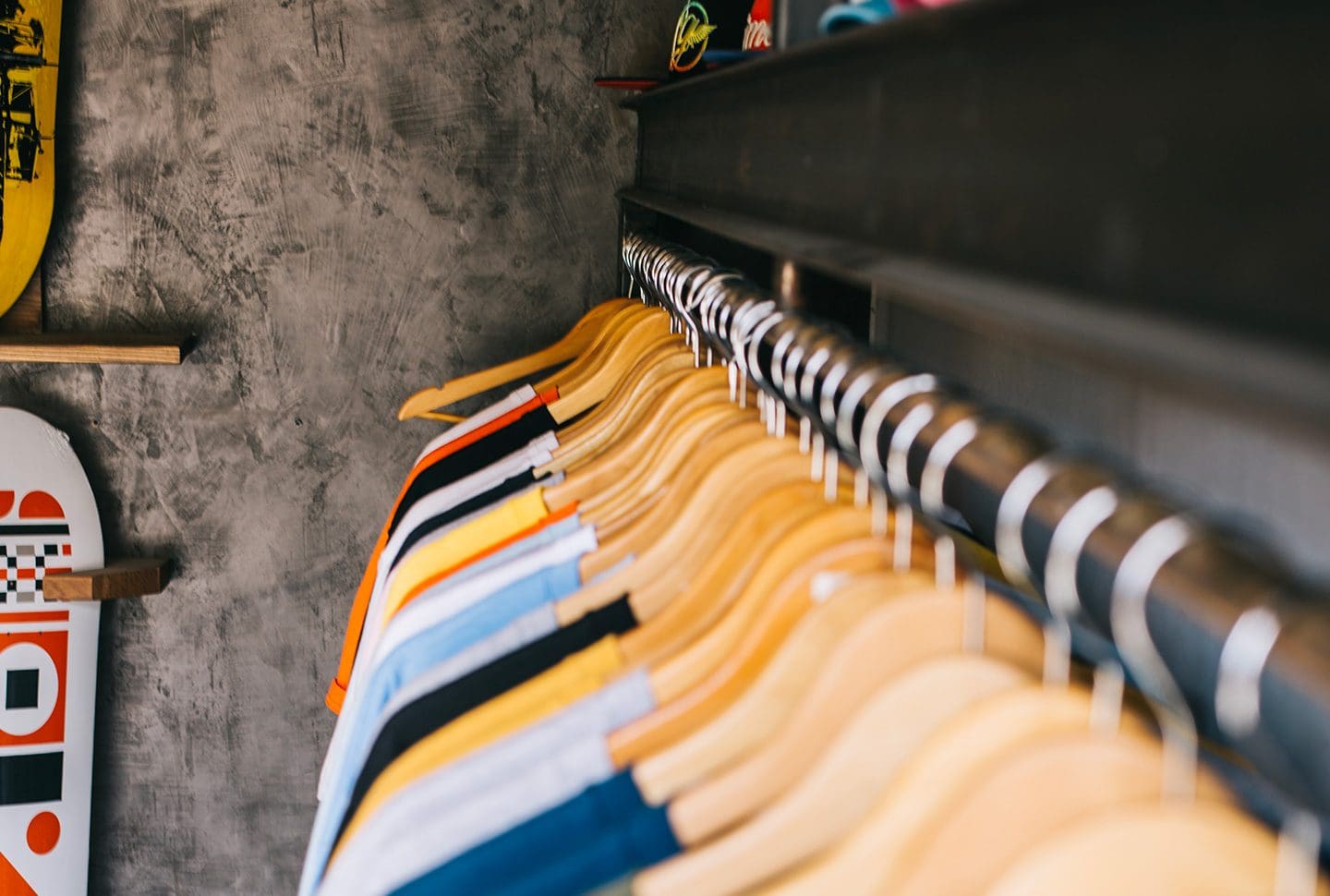
Imagine your Online Store like a typical clothing retail store – Featuring racks (Collections) of t-shirts, caps and trainers (Product Types and Categories). Organised by Size, Style or Colour (Product Tags).

Useful resources
Shopify Productivity Tools – Using Tags: A comprehensive guide by Shopify that outlines best practices for using tags throughout your Shopify site.
The Importance of Organised Products and an Optimised Information Architecture
An organised product catalogue and a well-optimised information architecture play a pivotal role in your e-commerce success for a few reasons:
- Enhanced User Experience (UX): A structured, organised product catalogue enables customers to navigate your online store seamlessly and find what they’re looking for with ease. This results in a positive shopping experience, which can lead to increased customer satisfaction, return visits, and higher conversion rates.
- Improved Searchability: With effective use of product types, tags, and collections, your products become more searchable – both on your site and via search engines. This improves your site’s SEO, potentially driving more traffic to your store.
- Streamlined Store Management: On the back end, a well-organised store makes it easier for you to manage your inventory. With clear categories and tags, you can quickly identify product performance, track stock levels, and update your offerings as needed.
Conclusion
By harnessing the full power of Product Types, Product Tags, Collections, and the newly‑prominent Product Category field, you set the foundation for a well‑organised e‑commerce store. That foundation delivers benefits in user experience (better navigation, higher engagement), SEO (better indexing and relevance) and marketplace / ad‑channel performance (clean feed data, improved visibility, fewer errors).
As an experienced Shopify developer and e-commerce designer, I’ve seen firsthand the impact a well-organised online store can have. If you treat your online store as more than a digital shop‑front, as a structured, data‑rich catalogue with strong metadata you reward both your customers and the search / channel engines that deliver them to your site.
You may also be interested in…
How to optimise your Shopify store for increased conversion rates
Frequently Asked Questions regarding Product Tags, Titles and Collections
Product Category is a predefined standard field in Shopify’s Standard Product Taxonomy (used by Shopify and across sales channels). Product Type is a custom field you define in your store for internal categorisation.
No, each product can have only one Product Category. However it can have one Product Type and multiple tags.
Shopify may mark the product as uncategorised. Some sales channels or tax calculations may misbehave or require overrides.
For many products, yes — the correct category helps Google understand your item and place it properly in Google Shopping. If omitted or incorrect, you risk mis‑classification or disapproval.
Indirectly, while there is no requirement that “Shopify tags” map directly, tags often support filtering, feed attributes (via apps) and help internal search/user experience, which can improve overall quality. Metadata from tags can also map into custom feed fields.
You can use Collections to present a curated range of products to your customers based on their preferences or your business needs. For instance, you could create a ‘Summer Collection’ featuring all your summer products, improving your store’s navigability and the overall shopping experience.
Organised products enhance the user experience by making navigation easier. This can lead to increased customer satisfaction, more repeat visits, and higher conversion rates. It also makes store management and inventory tracking more efficient.
Information architecture in e-commerce refers to the structuring and organisation of information (products, categories, tags, etc.) in an online store to make it easy for customers to find and purchase what they need. This includes the use of Product Types, Product Tags, and Collections in Shopify.
An optimised information architecture makes your site more searchable, both on your site and via search engines. By using Product Types, Product Tags, and Collections effectively, you make it easier for search engines to understand your site content, improving your store’s SEO.
The combination of Product Types, Product Tags, and Collections creates a comprehensive system for organising your Shopify store. It allows for broad categorisation, detailed descriptions, and curated collections of products. This enhances user experience, improves searchability, and streamlines store management.
ARTICLES OF INTEREST
Guide: How to improve your shopify Conversion Rates
5 Quick Tips to improve your chances of making a sale on your e-commerce store

Published
Last Updated