
Commercial Thinking
Identify and Handle Suspicious Shopify-Looking Emails
This post helps team members quickly verify whether an email that appears to be from Shopify is legitimate or a phishing attempt. The goal is to prevent accidental disclosure of account details and reduce the risk of store compromise.
Key Steps
1. Review the email carefully before clicking anything 0:00
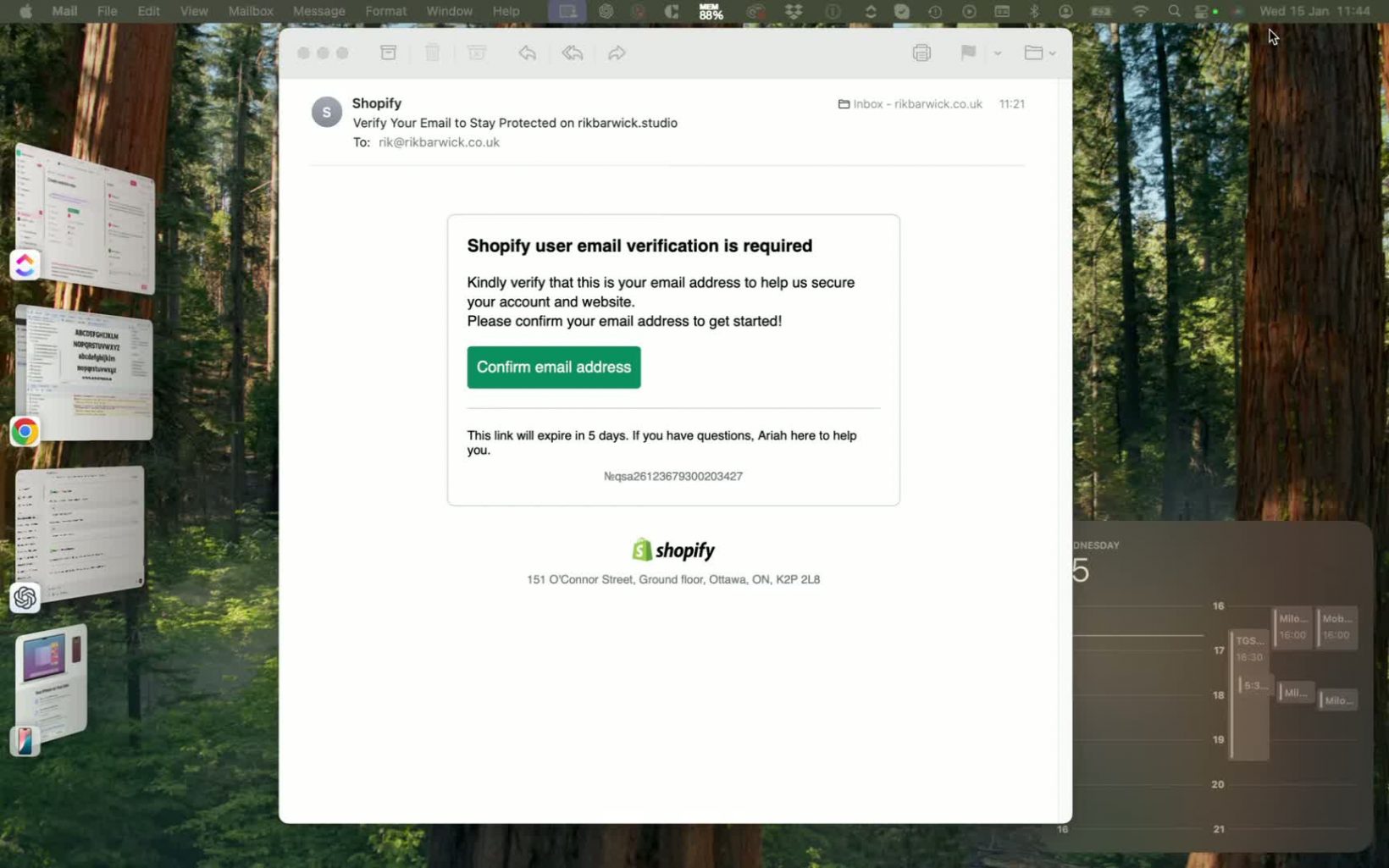
- When you receive an email that appears to be from Shopify, pause before taking action.
- Look for common signs of legitimacy such as branding, logo placement, and message tone.
- Treat any request to confirm an email address, verify account details, or “stay protected” as potentially suspicious until verified.
2. Inspect the sender details, not just the email design 0:18
- Do not rely on the email’s appearance alone, even if it looks professional.
- Check the sender name, reply-to address, and full email address.
- Be cautious if the message uses Shopify branding but the sender domain looks unrelated or unfamiliar.
3. Recognize phishing behavior and avoid interacting with the message 0:44
- If the email asks you to confirm information or click a verification link, assume it may be phishing until proven otherwise.
- Do not enter credentials, confirm details, or click links if the sender cannot be verified.
- Remember that phishing emails may capture your email address or trigger unwanted messages if you interact with them.
4. Verify the sender address using the email header or address bar 1:04
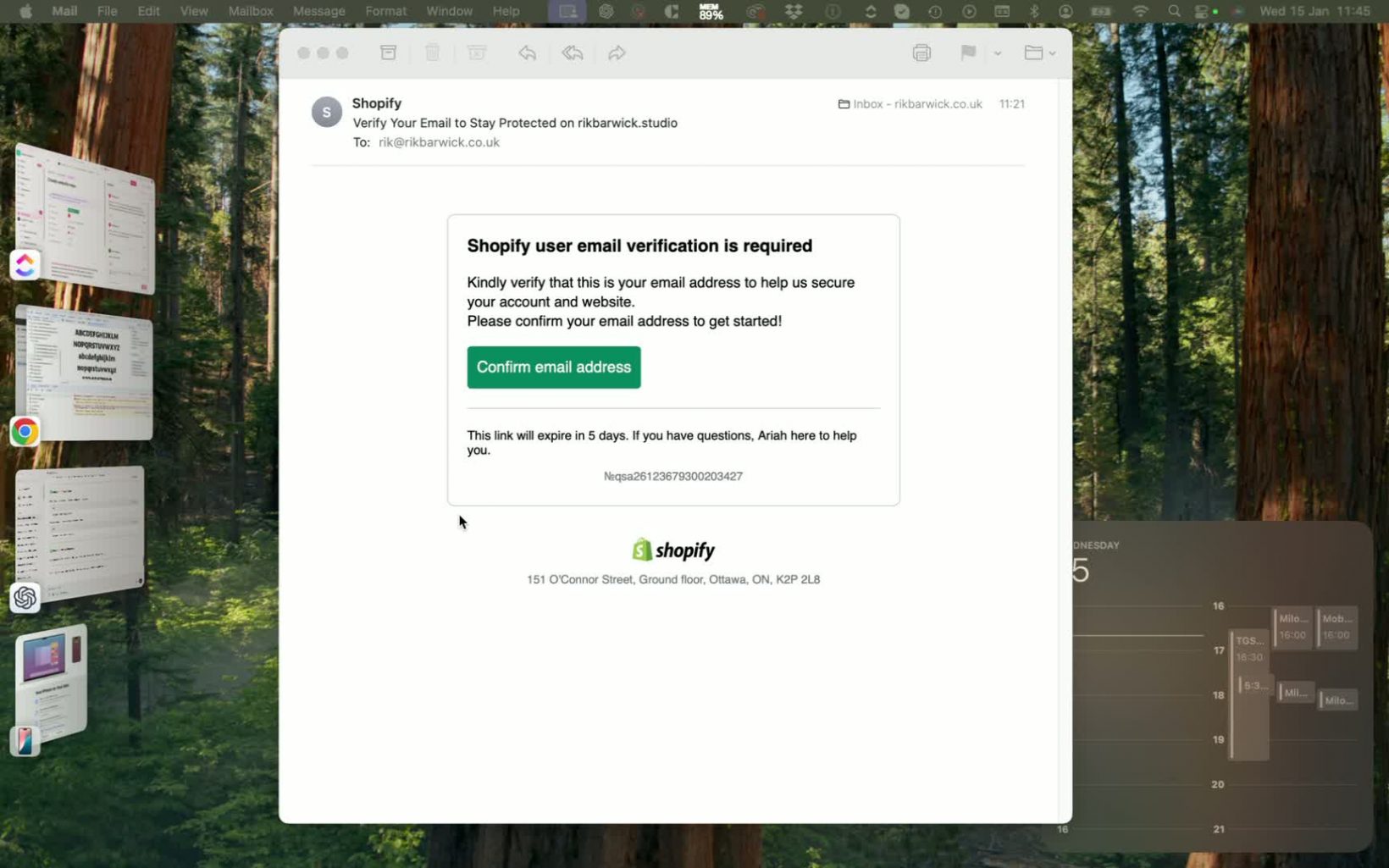
- Open the sender details by clicking the email header arrow or expanding the sender information.
- Confirm the actual sending address rather than the display name.
- Compare the domain to what you would expect from Shopify or your internal support contacts.
5. Reject suspicious emails immediately 1:42
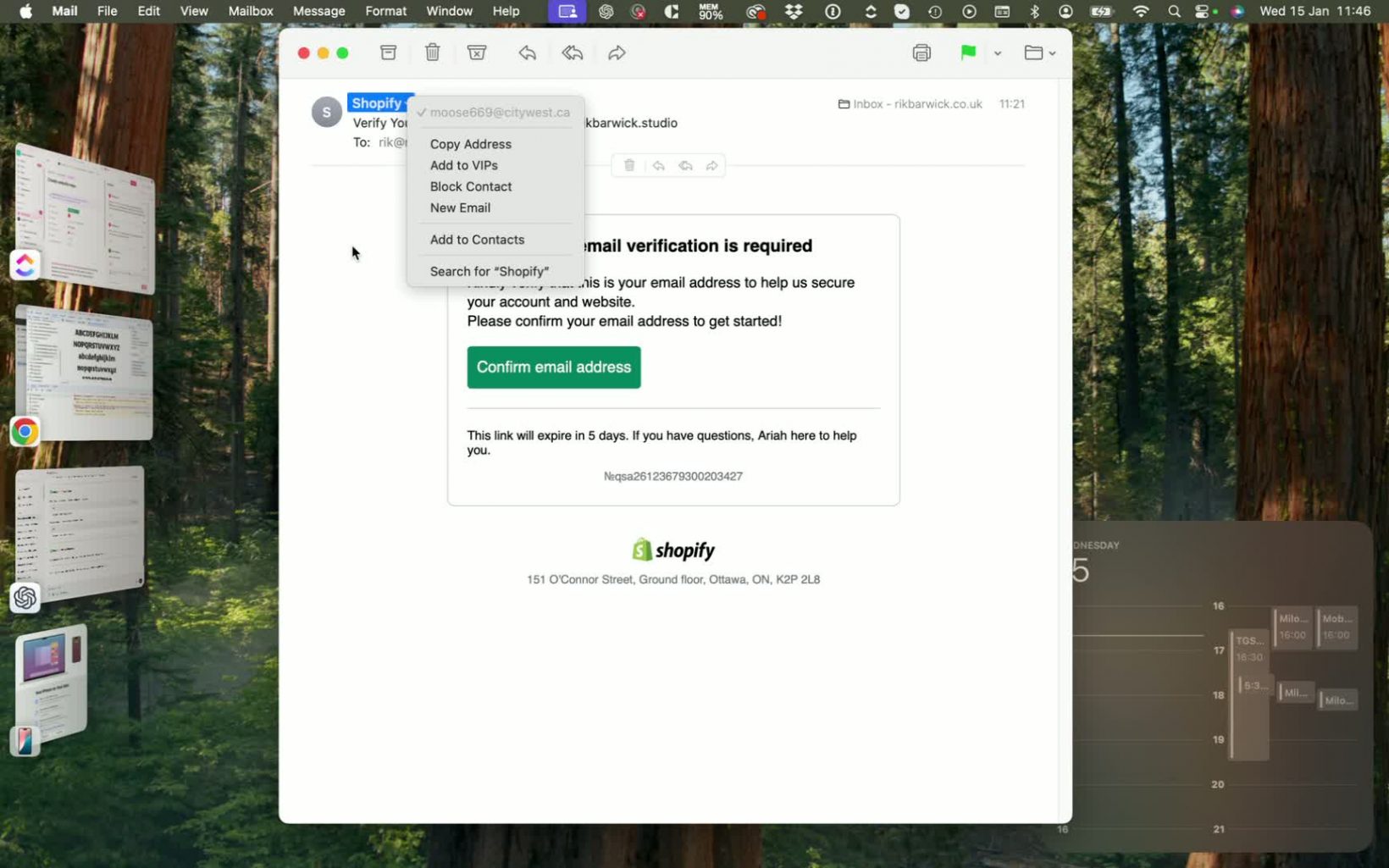
- If the sender address looks unusual, unrelated, or untrusted, do not respond.
- Mark the email as junk/spam or delete it according to your company process.
- Do not forward the email to others unless your security process requires reporting it.
6. Escalate concerns when needed 1:58
- If you are unsure whether an email is legitimate, ask a supervisor or designated support contact before taking action.
- Report suspicious emails using your organization’s security or IT reporting process.
- Keep a record of the sender address and subject line if the issue needs follow-up.
Cautionary Notes
- Never click verification links or enter credentials unless the sender has been confirmed as legitimate.
- A professional logo and branding do not guarantee authenticity.
- Suspicious sender domains, especially unrelated ones, are a strong phishing indicator.
- If you have already interacted with a suspicious email, report it immediately so the account can be reviewed.
Tips for Efficiency
- Make sender verification your default habit for any Shopify-related email.
- Use the email client’s sender-details dropdown to check the full address quickly.
- Create a simple rule: if the domain looks odd, junk it.
- When in doubt, pause and verify before clicking anything to avoid mistakes.